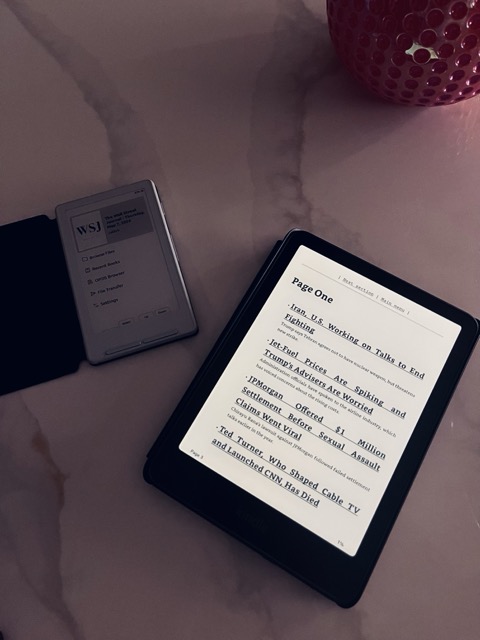
I read the Wall Street Journal Print Edition every morning. Used to read it on my phone, then a Kindle Paperwhite, now mostly on a small Xteink 4 running Crosspoint. The official WSJ apps are fine. But I wanted the daily paper as a clean EPUB I could read on whatever device I had open, with a layout I controlled. Calibre's news download system is built exactly for this.
Calibre ships with a built in WSJ recipe. It is broken. It tries to bypass the paywall by routing every article through archive.is, which now sits behind a Cloudflare CAPTCHA. The table of contents loads, then every article body comes back as a "complete the security check" page.
Here is my "working" version that uses your real WSJ subscription via cookies exported from a logged in browser. It is your subscription fetched directly from wsj.com.
You can grab the Calibre recipe here: wsj.recipe.
What you need
- Calibre installed.
- A WSJ subscription you can log into.
- A cookie exporter extension. The easy options:
- Chrome: Get cookies.txt LOCALLY (the LOCALLY version is the safe one, open source, no network calls).
- Firefox: cookies.txt.
Step 1. Export your cookies
Log into wsj.com in the browser where you installed the extension. Click the extension and export cookies. Make sure the export includes both wsj.com and dowjones.com cookies. Login lives on the dowjones.com SSO, so you need both.
Save the file as ~/.wsj_cookies.txt.
If you want it somewhere else, set the WSJ_COOKIES environment variable to that path and Calibre will pick it up.
Step 2. Add the recipe to Calibre
- Calibre menu, Fetch news → Add a custom news source.
- Click Switch to Advanced mode in the top right.
- Load recipe from file, pick
wsj.recipe. - Add/update recipe.
It will show up under Custom as "The Wall Street Journal".
Step 3. Schedule it
Fetch news → Schedule news download, find "The Wall Street Journal" in the Custom list, set whatever schedule you want. I run it every morning at 6am. Calibre needs to be running for the schedule to fire.
If you want to send the result to your reader automatically, Preferences → Sharing books by email for Kindle (whitelist Calibre's address in your Amazon approved senders), or plug your reader in over USB and Calibre will auto send any new news downloads.
Tips
The recipe has two options worth knowing about, set them in the Recipe options field on the schedule screen, one per line:
res:400
date:2026-05-03
res is the image width in pixels. Default is 400, which suits a roughly 4 inch e-ink panel. Go higher (600, 800) for a Kindle Oasis or iPad. Go lower (300) if you want smaller files.
date lets you grab a past edition. WSJ keeps the last six print editions available. Format is YYYY-MM-DD.
When to re export cookies
Cookies last weeks, sometimes a month. When articles start coming back as the WSJ paywall page (not Cloudflare this time, the actual WSJ login wall), re export from your browser and overwrite ~/.wsj_cookies.txt.